 hubusbc
SEARCH
Search Product
Search Post
— 葡萄酒 | 威士忌 | 白兰地 | 啤酒 —
— 葡萄酒 | 威士忌 | 白兰地 | 啤酒 —
Docking stations, adapter cables, and hard drive enclosures are our advantageous products at Y-EAYKOOR. We support branded shipments, OEM customization, and can produce products with your customized logo. Our products are sold globally and comply with European and American standards, accompanied by FCC certifications and reports. We welcome customers from all over the world to make purchases.
What Is a USB-C Docking Station?
A USB-C docking station is a powerful hub that transforms your laptop, tablet, or smartphone (like MacBook, iPhone 15, or Windows PCs) into a complete workstation. By connecting just one USB-C cable, you can add multiple ports for displays, storage, networking, and charging—all at once.
🔌 Key Features of USB-C Docking Stations
✅ Multi-Monitor Support – Connect 1-2 external displays (HDMI/DisplayPort)
✅ Fast Data Transfer – USB 3.2 (10-20Gbps) for external SSDs & hard drives
✅ Wired Internet – Gigabit Ethernet for stable, high-speed connections
✅ Power Delivery (PD) – Charge your laptop/phone while using peripherals (60W-100W)
✅ Extra USB & Audio Ports – Connect keyboards, mice, mics, and more
🖥️ Who Needs a USB-C Dock?
MacBook & Windows Laptop Users – Expand limited ports for a desktop-like setup
iPhone 15 Owners – Connect monitors, mics, and storage for pro-level streaming
Gamers & Content Creators – Use capture cards, dual monitors, and fast storage
Office & Remote Workers – One-cable docking for keyboards, mice, and monitors
⚡ USB-C vs. Thunderbolt Docks
Feature USB-C Dock Thunderbolt Dock
Speed 10-20Gbps (USB 3.2) 40Gbps (Thunderbolt 3/4)
Max Displays 1-2 (4K@60Hz) 2-3 (4K/8K)
Best For Everyday use, iPhone 15 Pro users, high-end workstations
Price $30-$150 $200-$400
🏆 Top USB-C Docking Stations (2024)
Best Overall: Y-EARKOOR8-in-1 (HDMI, USB-A, Ethernet, 100W PD)
Best for MacBook Pro: Y-EARKOOR (Thunderbolt 4, 18 ports)
Best Budget: Y-EARKOOR 6-in-1 (4K HDMI, 60W PD)
Best for iPhone 15: Y-EARKOOR 6-in-1 (Apple-certified, 4K HDMI)
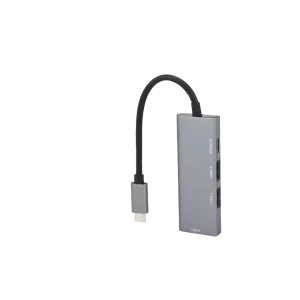
Looking for the best docking station for iPhone 15 live streaming? Check top picks like Anker 555, CalDigit TS4 & Belkin 6-in-1 with HDMI 4K, PD charging, and USB 3.0 for pro setups.
View details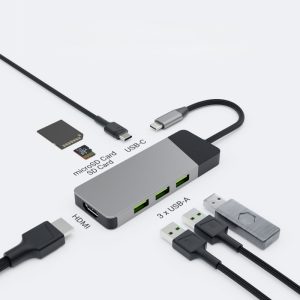
Discover the two types of computer expansion docks: ① Laptop Docking Stations (single-cable hubs for monitors/USB/network) and ② External PCIe Docks (eGPU enclosures for adding graphics cards). Learn their functions, compatibility, use cases, and ...
View details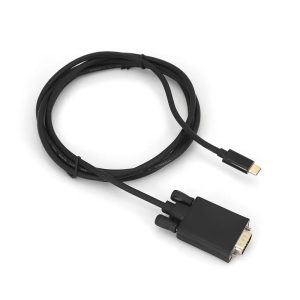
Whether it is the compatibility and convenience of the VGA adapter or the high-quality image performance of the DVI adapter, it can allow old equipment to be reintegrated into modern digital life, achieve efficient use of resources, save users equ...
View details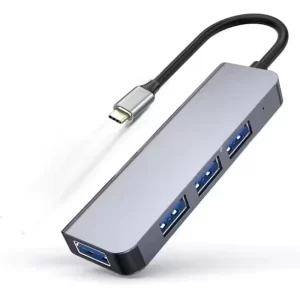
iscover how Apple 15 Pro/15 enhance functionality via docking stations: expand storage with USB drives/SD cards, connect keyboards/mice for mobile work, mirror to TVs/projectors via HDMI for big-screen entertainment,
View details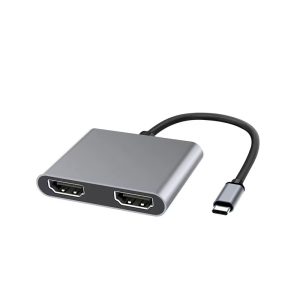
Data transmission rate: It can provide a higher data transmission rate, which can meet the requirements of professional fields for data transmission speed. When transmitting high-resolution video streams and performing complex graphics processi...
View details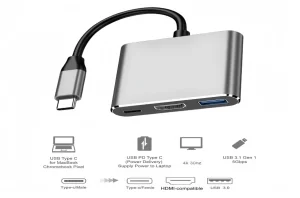
Elevate your iPhone live streaming with the right docking station tailored to your broadcasting needs. Whether you’re a casual content creator or a professional streamer, our guide breaks down the must-have docking solutions to enhance connectivit...
View details